Piece by piece, your projects take shape.
Tasks, meetings, reviews and files fit together in one portal for your studio, your small agency or your independent practice. Your clients see how their project is going, approve and send you what’s missing. And you stop chasing them on WhatsApp.
Then we’ll ask for your name and the size of your team, and that’s it.
- For teams of 1 to 15 people
- Your client signs in with their email, no password
- Made in Latin America, for the world.
One project, six pieces.
What lives mixed up in the chat today has its place in Prisma. Each piece does one thing, and the client always knows where to look.
- 1Each client’s portalWith their logo and color. They sign in with their email, no password.
- 2Tasks with a turnWhat’s on you and what’s on the client, each with its date.
- 3From the meeting to the listPaste your meeting notes; the AI suggests a summary and tasks. You decide which ones go in.
- 4Content reviewsPosts, reels, logos or PDFs: the client approves or requests changes right on the piece itself.
- 5Won contacts by campaignEvery contact that arrives through a campaign lands in your client’s portal, with its status and next step.
- 6Files in their placeWhat the client uploads stays with its task, not lost in a chat.
What changes on Monday.
| Today | With Prisma |
|---|---|
| “Can you send me the logo in high resolution?”, three times, on WhatsApp. | A “Request files” task. The client uploads them there and they stay saved with the task. |
| The content calendar approval, lost in an email thread. | The client approves or requests changes post by post, and you get a single notification with everything. |
| The meeting ended and nobody wrote down who owes what. | You paste your notes or the transcript: out comes the summary, the decisions and the task list. |
| Campaign contacts end up in a spreadsheet nobody updates. | Each contact lands in your client’s portal by itself, and they note where it stands and what the next step is. |
| “How’s mine going?” | The client sees it on their own: what’s ready, what’s on them and what’s next. |
What it looks like
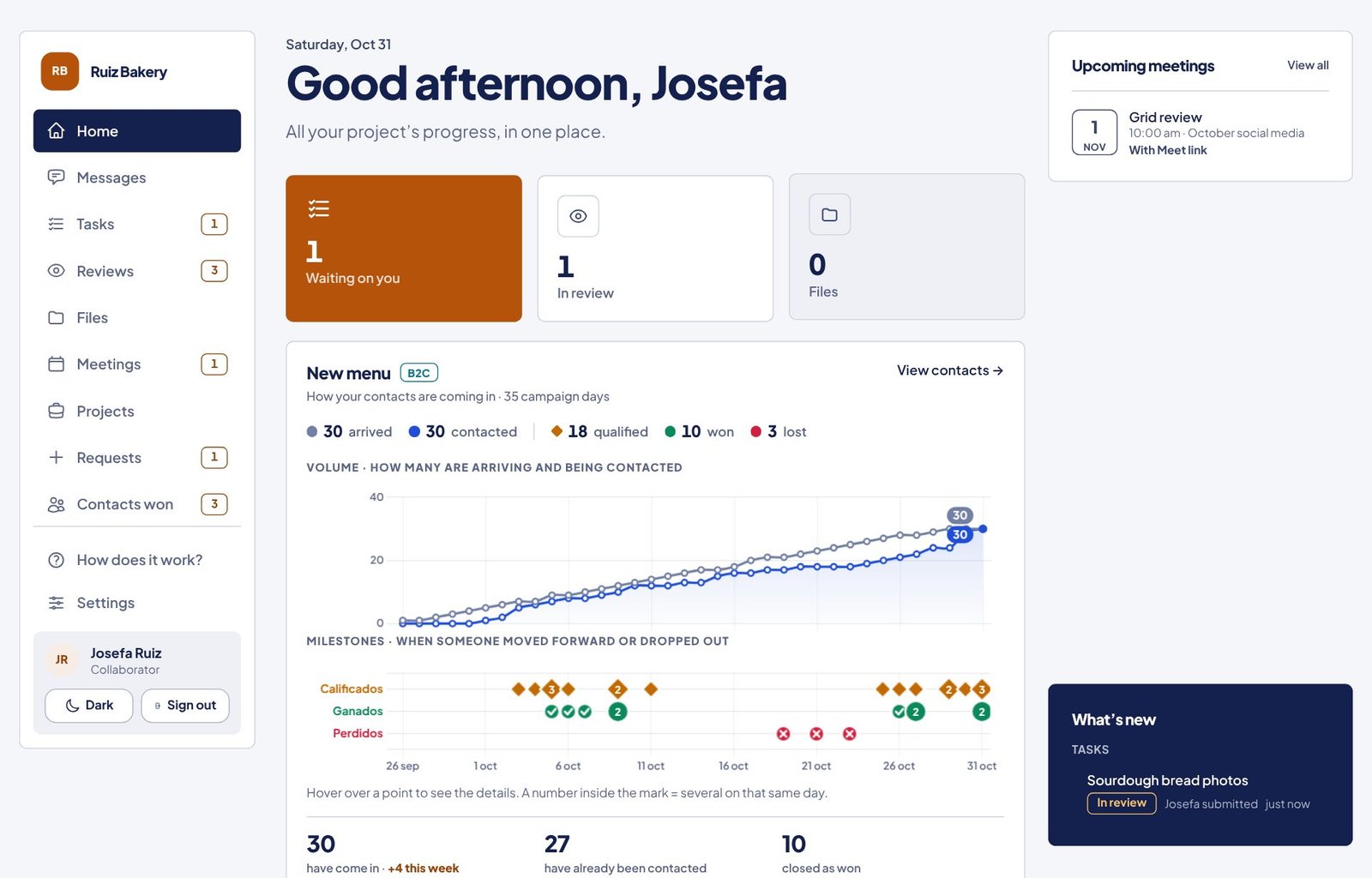
What your client sees.
Their logo, their color and only what’s theirs: what’s on them, what’s under review and when the next meeting is. They sign in with their email and a code; there’s no password to forget.
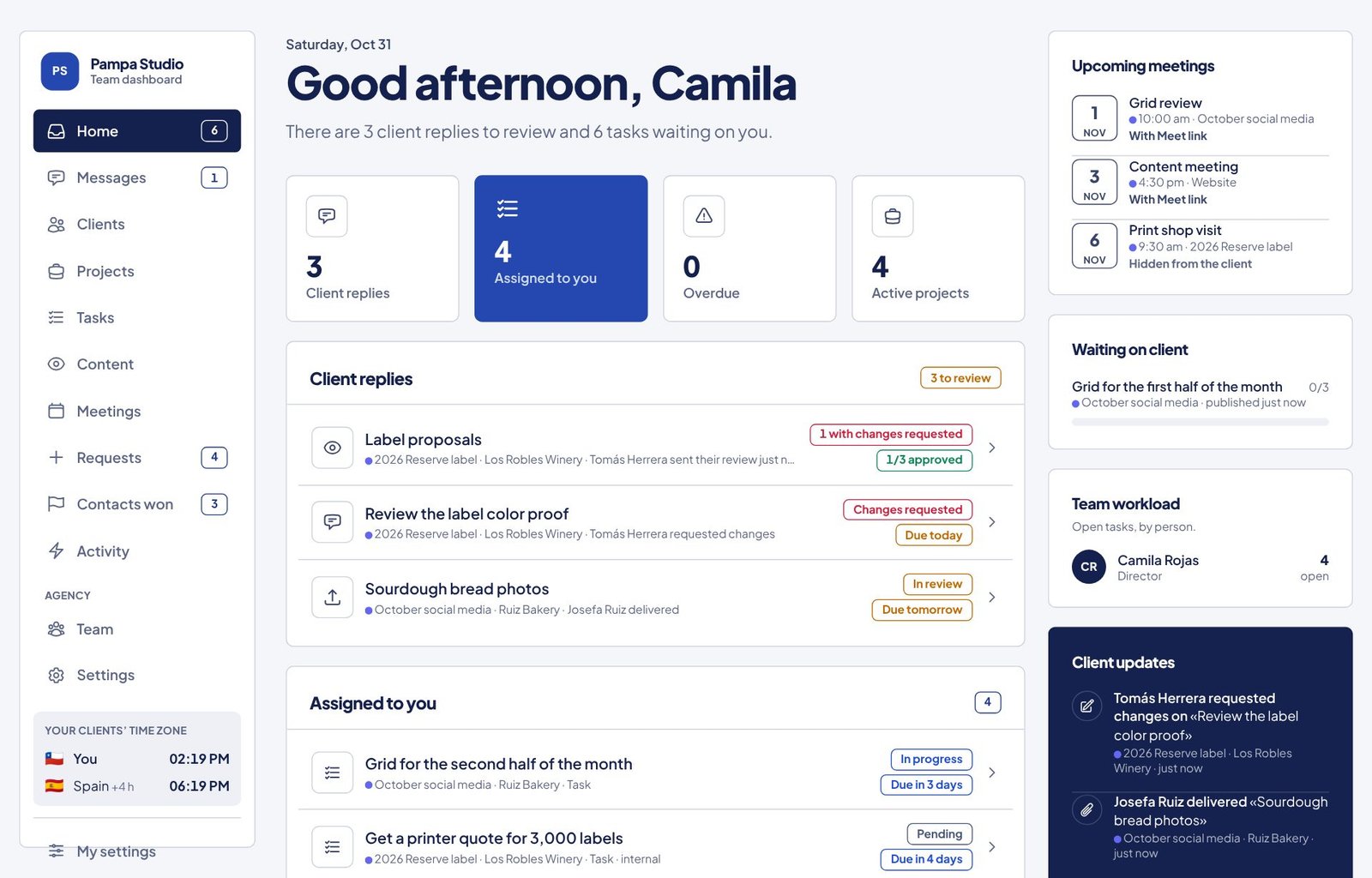
What you see.
An inbox with what each client replied, what’s overdue and what’s coming this week. Each person on your team sees the accounts assigned to them, and notifications reach whoever they belong to.
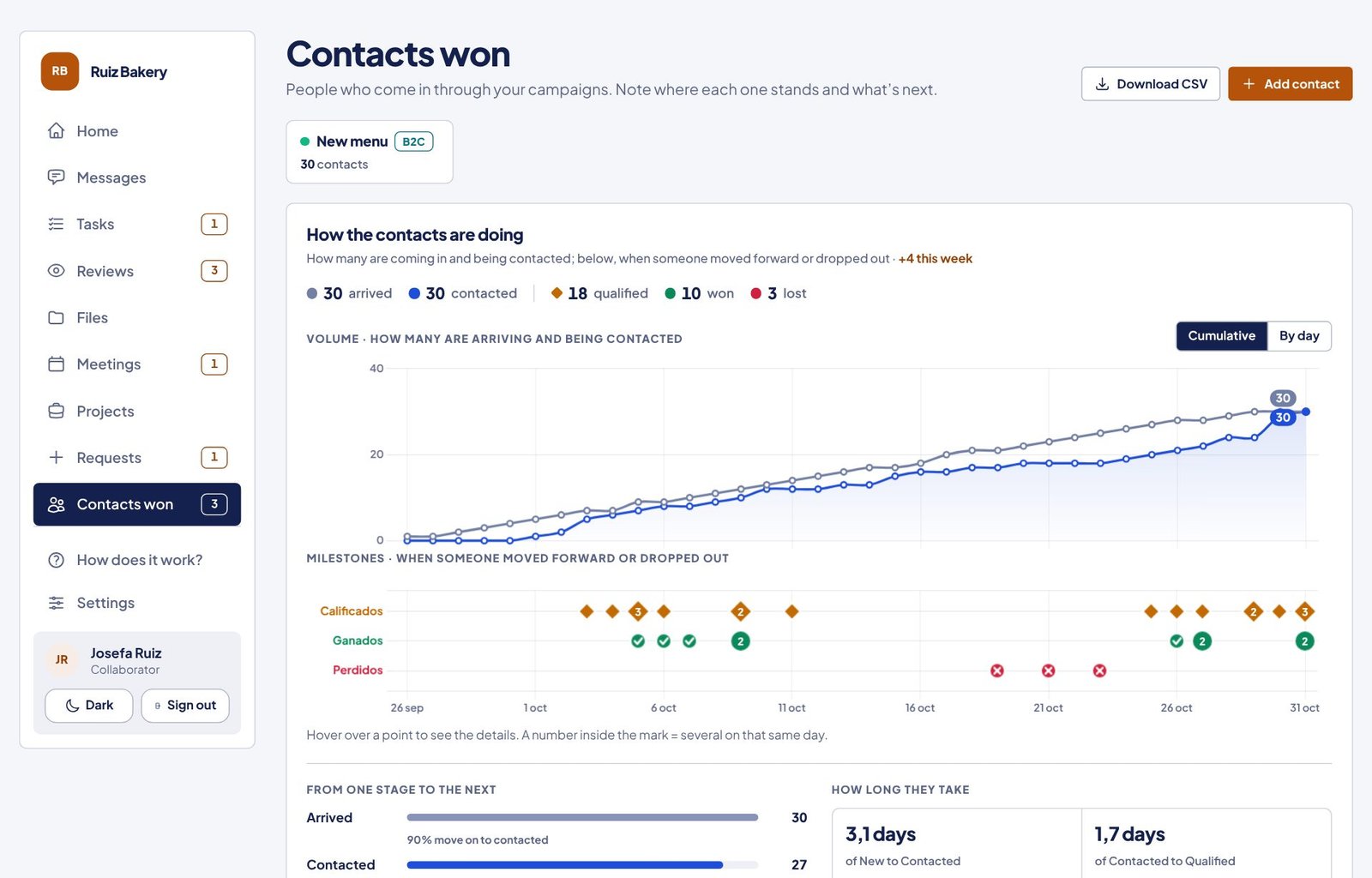
What comes in from your campaigns.
People who arrive through your form, Make, Meta or Google land in your client’s portal on their own. They note where each one stands (new, contacted, qualified, won or lost) and what the next step is, and you see how many come in and how long they take to move forward.
For teams of 1 to 15 people.
Freelancers, independent professionals, design studios and small advertising or marketing agencies. If you’re juggling your clients across WhatsApp, Drive and email today, Prisma is for you.
If you have forty accounts and an IT department, probably not.
Request your invitation.
We’re opening Prisma gradually, with freelancers, studios and agencies in Latin America. Leave us your details and we’ll write to you when we have room for you.